
Plans
Pro Tips
December 30, 2025
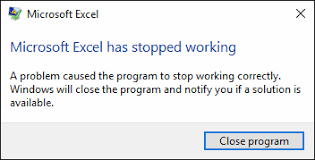
Staff planning in Excel: outdated.
As an entrepreneur, it is important for you to have up-to-date information about the personnel you can deploy. Many companies archive this data in Excel files. However, spreadsheets are not easy for everyone to view and require a lot of work to keep up to date. When using Excel, the information often ends up somewhere where it is not easy for everyone to find. Keeping all data up to date often requires a lot of manual labor, making it difficult or almost impossible to maintain real-time visibility.
Planning your staffing is a lot more complex than it sounds at first glance. Think about the planning itself, time registration, clocking in and out, and perhaps even an expense claim system. If all this is kept track of in Excel, you will soon lose sight of the bigger picture.
Excel offers too little flexibility
Another reason why using Excel to create work schedules is outdated is that it makes it difficult to adjust staff planning. For example, you have created a work schedule and shared it with the relevant department, but suddenly the situation changes. For example, due to employee absenteeism or leave. This requires an adjustment to the schedule, but it is not possible to inform the department and its staff of this in a quick and efficient manner. It is also difficult to check availability or suggest open shifts.
Solution: one app as a matchmaker
Want to get rid of the time-consuming and inefficient way of working with staff planning in Excel? We have the solution for you. Leave the outdated way of staff planning behind and focus on the future. With Flex.works, you can plan 50% more effectively in one app with seamless connection between permanent employees and flexible staff.
Request a demo
Take advantage of all the features, from staff scheduling to attendance tracking, pool management to time tracking. Request a demo now.